
QR Studio
Create a QR code you can change after printing.
Paste your link, choose a QR type, preview it, then customize and download.
Create a free editable QR · Change the destination later · Print-safe download
Link to a website or landing page
Editable QR keeps the same printed code and lets you update content later.
Print-safe
Link to a website or landing page
Create QR codes for everyday links and content.
Change the destination after printing when your campaign changes.
Use a short redirect link for QR codes that need to stay flexible.
Check scan safety before using QR codes on real printed materials.
How it works
Generate a QR code in minutes, then update it anytime.
RepointQR is designed for printed QR codes that need to keep working in the real world. Create your QR, print it, and update the destination later without replacing the printed code.
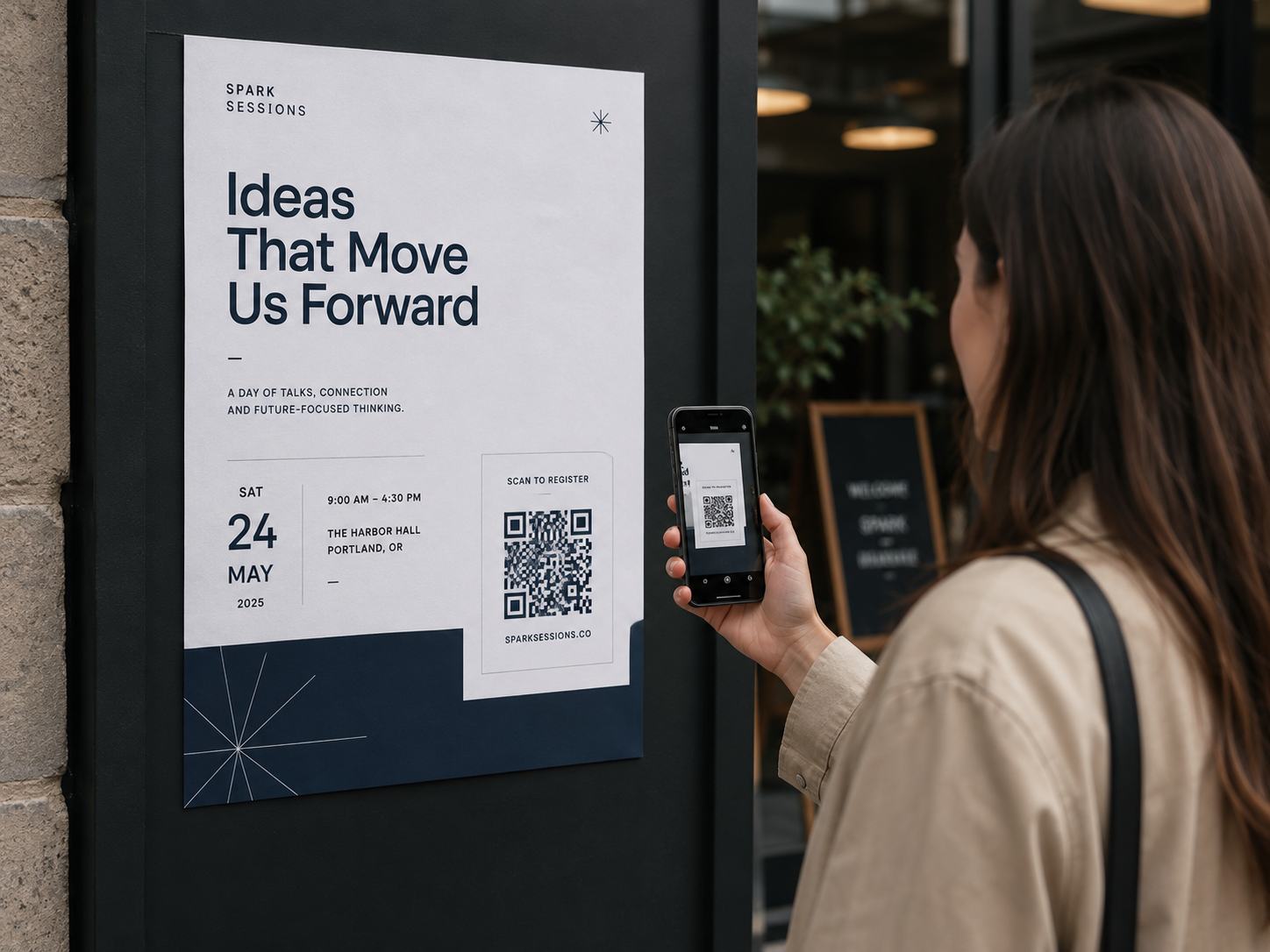
Print to scan
One printed QR can keep working after the campaign changes.
Use RepointQR for flyers, posters, event signs, and local campaigns where the printed code must stay useful after the first version goes live.
Choose a QR type
Start with URL, PDF, WiFi, email, phone, text, WhatsApp, vCard, or location QR content.
Preview before printing
Check the QR code pattern, contrast, quiet zone, and scan safety before you use it on printed materials.
Customize & download
Customize the design, scan-test it, and download the QR for print or digital use.
Update later
When the destination changes, update it from your dashboard without replacing the printed QR code.
Why RepointQR
A printed QR code should not lock you in forever.
Edit the destination after printing
Change the target URL from your dashboard when a campaign, menu, file, or landing page changes.
Create the QR code you need
Create QR codes for URLs, text, email, phone, Wi-Fi, and more. Every new QR is ready to be managed and updated later.
Track basic scan activity
See scan counts so you know whether your printed codes are still being used.
Real-world QR use
Built for QR codes used in the real world
Printed QR use cases
QR codes for real-world print use.
Use RepointQR on printed materials that may need a new destination later: menus, flyers, labels, packaging, events, and business cards.
Menu QR
Update the menu link without reprinting table cards.
Perfect for restaurants, cafés, seasonal menus, PDF menus, booking links, and printed table cards that need to point somewhere new later.
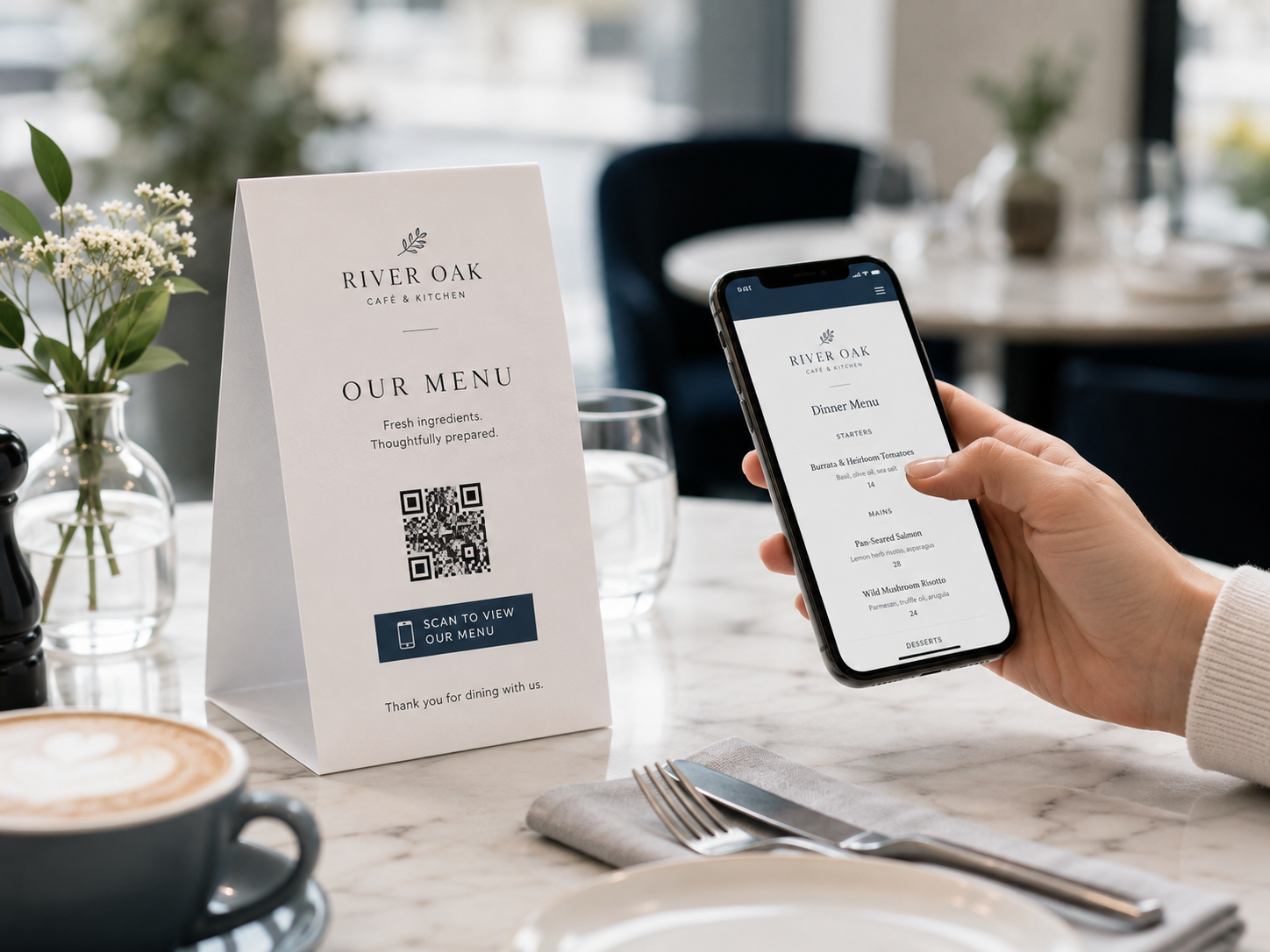
Restaurant menus
Update menu links, PDF menus, prices, dishes, or seasonal files without replacing the printed QR code.
Flyers and posters
Send scans from printed ads to landing pages, booking links, campaigns, or current offers.
Product labels
Connect packaging and labels to instructions, manuals, ingredients, warranty pages, or updates.
Events and venues
Use one printed QR for registration, schedules, venue maps, guest information, and follow-up pages.
Packaging inserts
Add QR codes to boxes, inserts, sleeves, and packaging for onboarding, support, or offers.
Business cards
Let people scan printed cards to open a website, vCard, email, phone number, or contact page.
QR code types
Create QR codes for every format you need.
RepointQR supports the everyday QR formats used in print, campaigns, stores, restaurants, events, packaging, and business materials.
URL QR code
Create a QR code for a website, landing page, campaign, menu, or booking link.
PDF QR code
Link printed materials to a PDF menu, catalog, brochure, guide, or document.
WiFi QR code
Let guests connect to WiFi without typing the network name or password.
Email QR code
Open a prefilled email with recipient, subject, and body text.
Phone QR code
Start a phone call from signs, cards, flyers, and local ads.
Text QR code
Encode plain text for labels, instructions, inventory notes, and offline use.
WhatsApp QR code
Start a WhatsApp conversation from packaging, storefronts, menus, and posters.
Location QR code
Share a map location for events, shops, offices, pop-ups, and venues.
QR generator guide
Create QR codes for printed menus, flyers, labels, packaging, and campaigns.
RepointQR is a QR code generator for teams, businesses, restaurants, creators, and local services that use QR codes on real printed materials. Create a QR, print it, and keep the option to update the destination later without replacing the printed code.
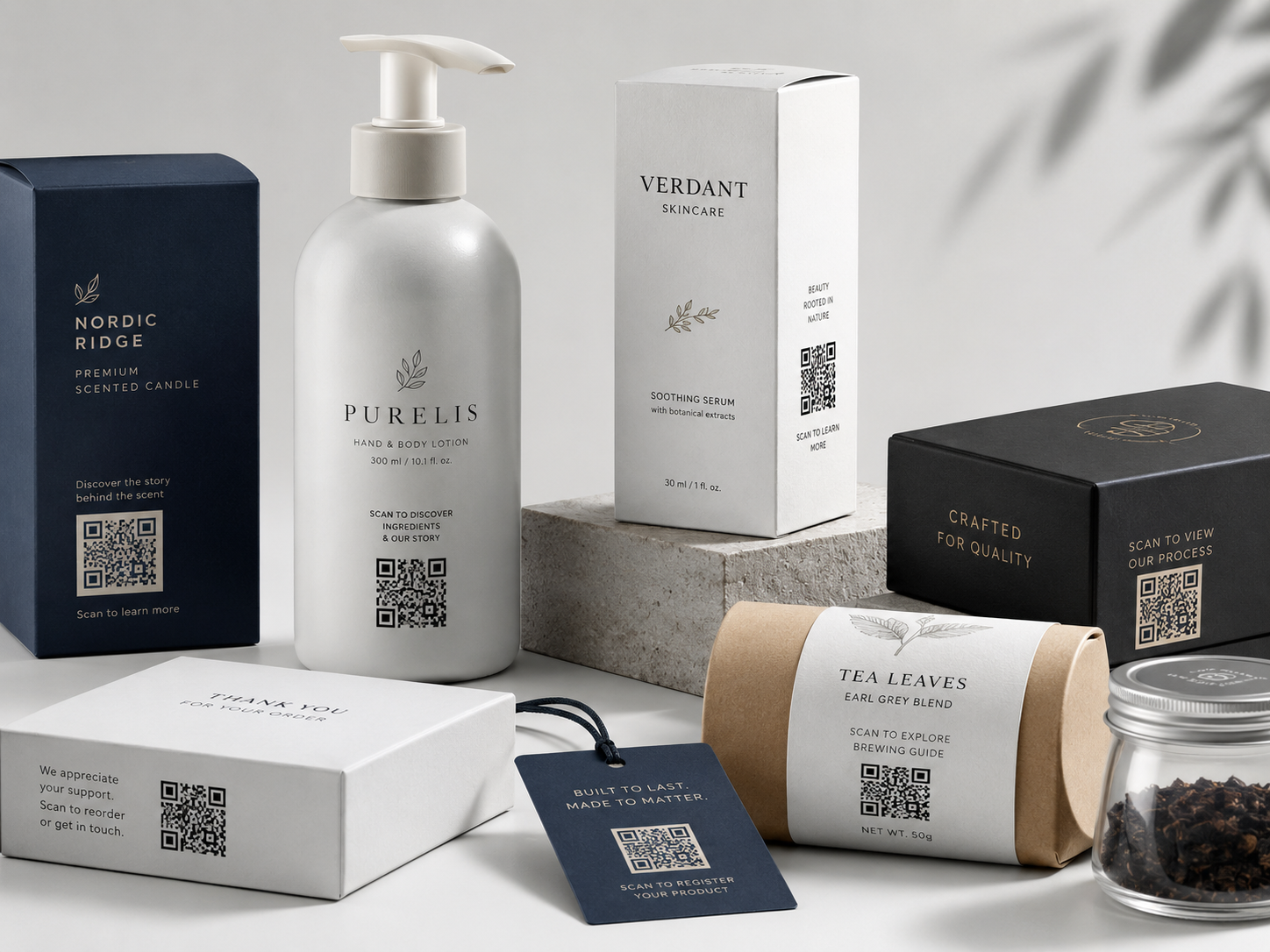
Labels and packaging
Add QR codes to packaging, labels, and inserts.
Link printed products to instructions, support pages, warranty information, product updates, reorder links, and onboarding content.
QR codes for everyday content
Create QR codes for links, text, phone numbers, WiFi details, email templates, and other everyday content. Preview, customize, scan-test, and download them for print or digital use.
Change destinations after printing
Keep the same printed QR pattern while the final destination changes. This is useful for restaurant menus, seasonal offers, event schedules, product manuals, PDF files, landing pages, and campaigns.
Why choose RepointQR for print?
RepointQR focuses on print-safe QR workflows: clear previews, quiet zone checks, scan-friendly downloads, editable destinations, and simple campaign management. The goal is not only to create a QR code, but to avoid reprinting when a menu, flyer, label, poster, or packaging link needs to be updated later.
Start free
Create a free QR code now. Change the destination later when you need to.
Start free, then upgrade only when you need no ads, scan analytics, or team QR areas.
FAQ
QR code questions.
Learn how RepointQR keeps printed QR codes useful after they go live.
Can I create a QR code for free?
Yes. You can create QR codes with RepointQR for free, customize them, scan-test them, and download them for use.
Can I edit a QR code after printing?
Yes. The printed QR pattern stays the same while you update the destination from your dashboard.
Can I change where a QR code points after printing?
Yes. Update the destination in RepointQR and keep using the same printed QR code.
When is changing the destination useful?
It is useful for menus, flyers, posters, labels, packaging, and events where links may change after printing.
Do RepointQR codes expire?
The printed QR pattern does not expire. Availability of managed features depends on the plan and campaign settings.
Can I use RepointQR for restaurant menus?
Yes. RepointQR is useful for restaurant menus because you can print one QR code and update the menu destination later when prices, seasonal items, or files change.
Create a QR code you can change tomorrow.
Launch with a free QR code, then upgrade when you need no ads, deeper analytics, or team features.
Create my first QR